Announcement
May 31, 2026【CinchCat】Ver. 2 Release!
– Added CheckCalendar.
– Added Redo/Undo support for check operations.
– Enhanced check mark settings, and more.
What is CinchCat?
CinchCat is an easy check app that does not require text input.


What kind of app is CinchCat?
“CinchCat” is an innovative tool that digitizes tedious daily paper-and-pen tasks and makes your life even more convenient.
Bring information in a variety of formats, from handwritten notes and lists to PDF documents and even web pages, into the app and manage it with just a tap.
From shopping to work documents to food preparation, you can easily and smartly create and manage checklists in all situations.
You can also use CheckCalendar, which lets you record checks and counts by date. Daily habits and work counts can be saved on a calendar without complicated input.
“CinchCat” is an app that ends the era of paper and pen and updates your daily life with digital simplicity.
Use it easily and quickly
If you are used to digital tools, you may already manage tasks with a full-featured task management app or ToDo list app, entering dates, subjects, contents, expected completion dates, completion dates… and managing everything thoroughly.

But it would be inefficient to enter every little thing, like tasks requested via email or small notes on sticky notes, into a ToDo list.
If it’s the content of an email, just select the necessary parts and share them with “CinchCat.”
If it’s a sticky note, take a collective photo with “CinchCat” and read it in.
Once done, just tap the screen to put a checkmark.
That’s all. There’s no need to enter anything.
Is it inconvenient to be paperless?
Recently, there has been a shift towards paperless in many situations.
When I delivered daily necessities, I used to mark the delivery slip with a pen to check that all the items were included. You will receive an email confirming your order and that’s it. No prints.
I received a printed copy of the bill from my credit card company in the mail, so when I checked to see if there were any unknown charges, I would mark it as confirmed by directly marking it with a pen. If you need it sent by mail, there will be an additional charge, and if you need it, you will have to download the PDF.

It’s good that we’ve gone digital and paperless, but the work that people have to check is still analog. However, if you mark it with a pen, you will need to print it out, which will ruin your efforts to go paperless.
That’s when “CinchCat” comes into play. No printouts or pens required. Just load and tap the PDF file.
How to use it like this!
Once you have taken a photo of your handwritten shopping memo and loaded it into “CinchCat”, you can mark it as purchased by tapping it. You no longer need a notepad and pen while shopping.
When cooking while looking at a recipe site, if you read the URL of the dish with “Cinch Cat”, you can check the ingredients you have prepared and the steps you have completed.
Keep Daily Records With CheckCalendar!
In addition to adding marks to documents like a CheckSheet, you can also record things you want to keep doing every day on a calendar.
You can record “I did it today” or “how many times I did it today” by date, so it can be used for habits, exercise, study, work counts, health management, and daily checks.
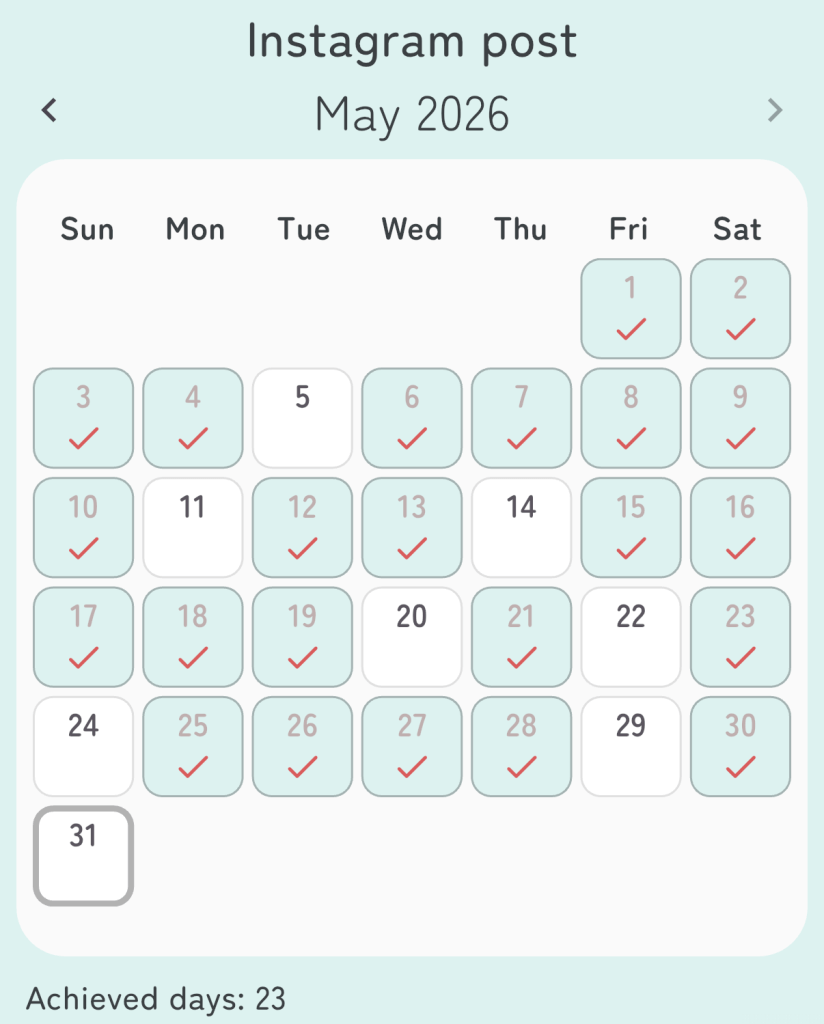
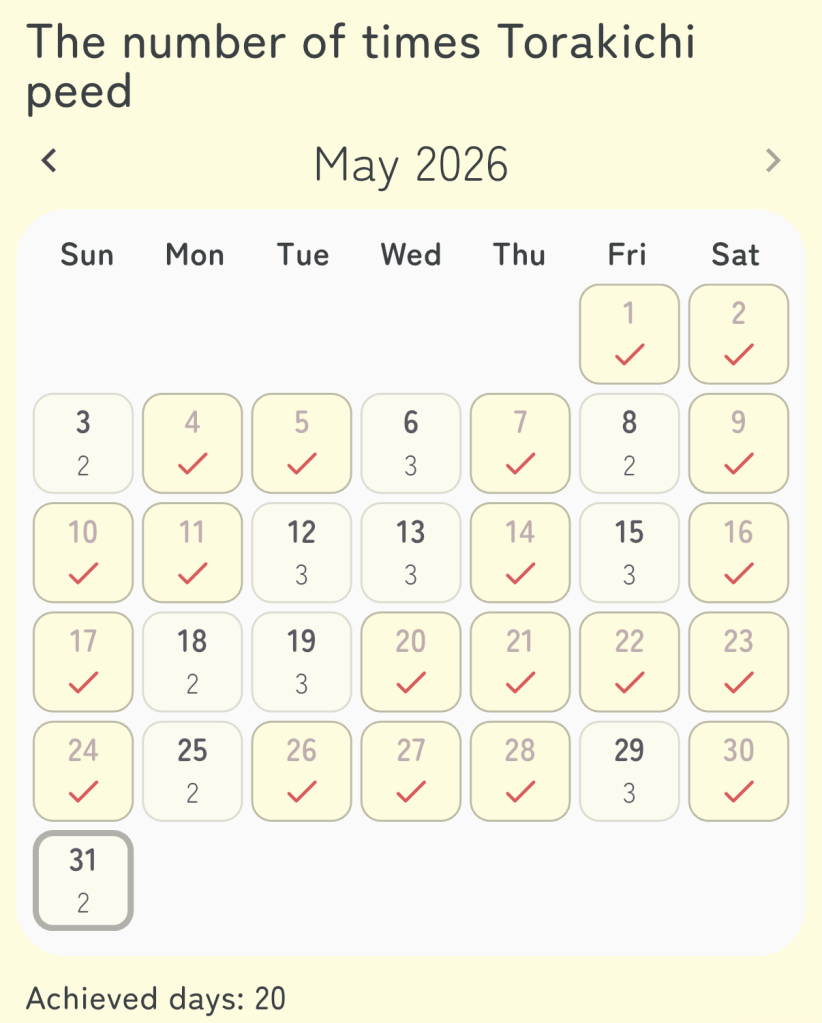
For example, CheckCalendar can be used to:
- Check off habits you want to continue every day.
- Record work or practice counts.
- Visualize achieved days on a calendar.
- Receive reminders on selected weekdays and times.
- Share the calendar as an image or text.
Like marking a wall calendar with a pen, you can keep daily records inside your smartphone.
Download CinchCat here.
Powered By System-neco
CinchCat is provided by System Neco. System Neco will continue to provide relaxed apps that are casually useful when you need them. Happy and lucky!
Contact us
For more information about the app, please contact us at [info@systemneco.com].

